Know what's vulnerable
before your users do
Real-time CVE detection and outdated package alerts for Python, Node.js, Rust, Go, PHP, Ruby and Java projects — directly inside VS Code. Zero config. Free.
What it does
Security visibility,
zero friction
ScanReq plugs into your existing workflow. Open a project and it just works.
Multi-Ecosystem Support
Scans Python, Node.js, Rust, Go, PHP, Ruby and Java (Maven & Gradle) automatically. 8 ecosystems, zero configuration.
CVE Detection
Queries OSV.dev for known vulnerabilities on exact versions (==). CVE IDs and descriptions inline.
Visual Results Panel
Color-coded table with version badges and security status. Red, orange, green — health at a glance.
Smart Insights
Contextual alerts at the bottom of each scan: critical CVE warnings, bulk update notices, actionable advice.
Auto-refresh
The panel updates automatically whenever you save any dependency file. No manual re-runs.
English & Spanish
UI language follows your VS Code language setting. More languages coming based on user demand.
Pro — Available now
Full coverage
for every project
The free plan covers exact versions. Pro goes further — CVE scanning for all version specifiers, compatibility analysis, and AI-ready reports.
- CVE detection for non-exact versions — coverage for >=, ~=, ranges and more
- Cross-version compatibility analysis — find conflicts before they break your build
- Safe update recommendations — know exactly which version to upgrade to
- 🤖 AI prompt export — one click to copy a structured prompt for Claude, Copilot or Cursor
- Priority support — direct access for fast issue resolution
An AI agent doing the same job costs ~$0.85 per scan in tokens. Pro pays for itself in 23 scans — which a working developer hits in a week.
Plans
Free vs Pro
| Feature | Free | Pro |
|---|---|---|
| All 8 ecosystems (Python, Node.js, Rust, Go, PHP, Ruby, Java) | ✓ | ✓ |
| Registry version check (PyPI, npm, crates.io, Maven Central…) | ✓ | ✓ |
| CVE detection (exact versions) | ✓ | ✓ |
| Visual results panel | ✓ | ✓ |
| Smart insights | ✓ | ✓ |
| CVE detection for non-exact versions | — | ✓ |
| Cross-version compatibility analysis | — | ✓ |
| Safe update recommendations | — | ✓ |
| 🤖 AI prompt export | — | ✓ |
| Priority support | — | ✓ |
See it in action
Real projects,
real results
Scanned against real open-source projects from GitHub — not hand-picked examples.
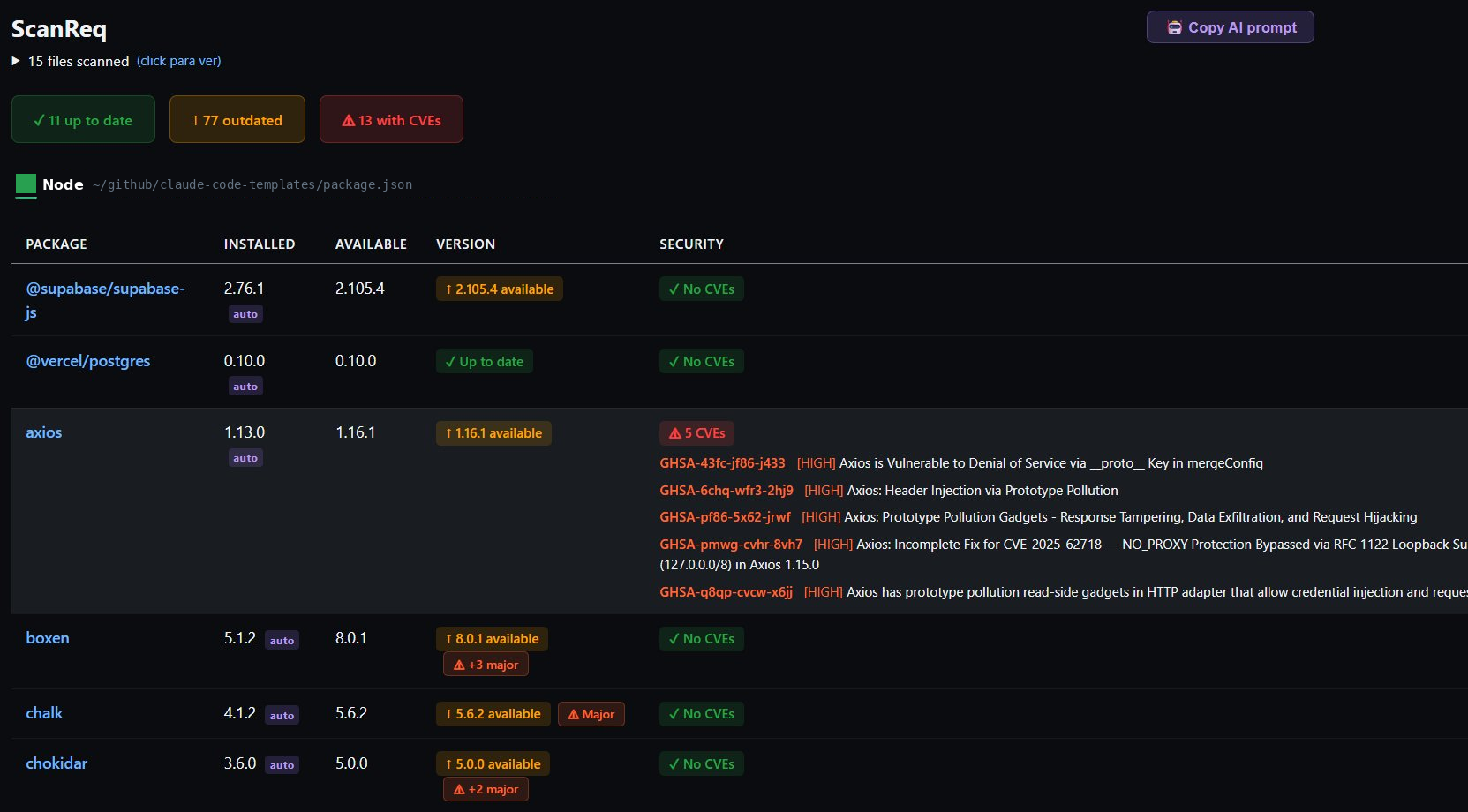
Node.js — axios 1.13.0 with 5 HIGH CVEs detected, major version jumps flagged
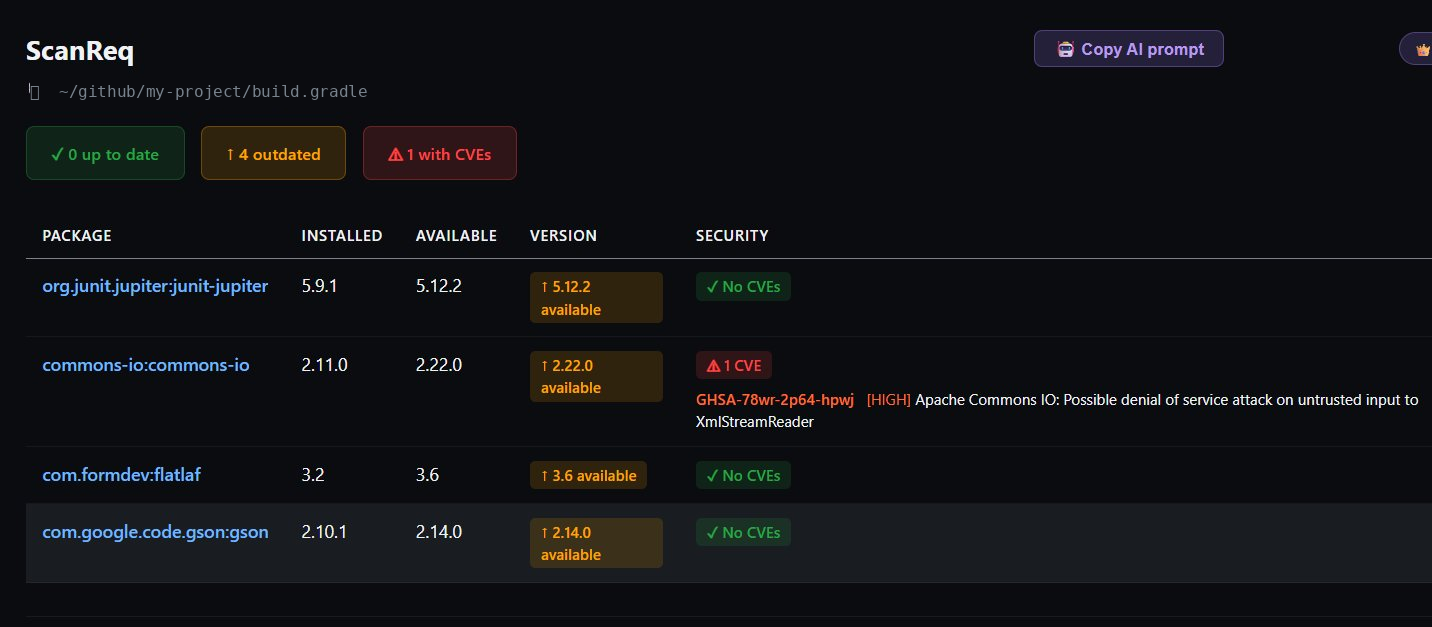
Gradle — commons-io CVE detected inline with GHSA ID and severity
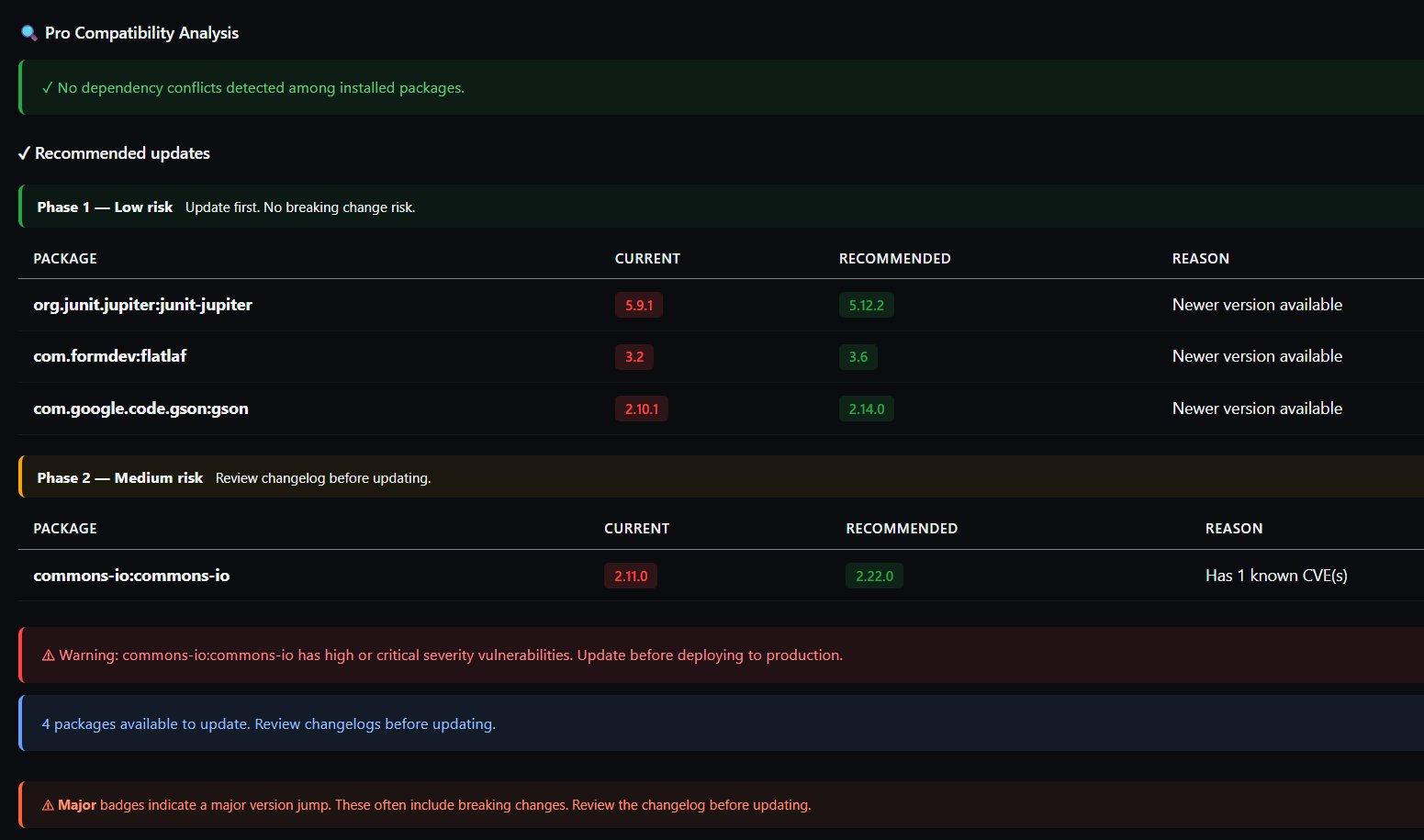
Pro — Safe update plan with 3-phase migration table and compatibility analysis
Get started
Install in seconds
From the VS Code Command Palette or directly from the terminal:
↗ Open in VS Code Marketplace